
M
9.1K






Last updated 1/2021
MP4 | Video: h264, 1280x720 | Audio: AAC, 44.1 KHz
Language: English | Size: 1.07 GB | Duration: 3h 29m
Learn To Customize Microsoft Dynamics 365 Tables (Entities), Relationships, And Columns (Fields)
What you'll learn
Learn every topic in detail for Microsoft Dynamics 365 Customization & Configuration (Implement Dynamics 365 Entities, Entity Relationships, And Fields)
Be confident to customize Microsoft Dynamics 365 Entities (Tables), Relationships, and Fields (Columns).
Requirements
You should have basic knowledge of Microsoft Office applications like Outlook, Excel.
You should be comfortable in using Computer/Laptop and surf internet
Basic understanding of Microsoft Dynamics 365
Description
Do you want to learn how to Customize Microsoft Dynamics 365 Tables (Entities), Relationships, and Columns (Fields) like a Champ? If yes, then this course is for you.*****************WHAT STUDENTS ARE SAYING ABOUT THIS COURSE:Fred Magee says "Very good course that builds on part 1. Really enjoyed the detail in the Entity section. Directly applicable to my current tasks in the real world. Thanks!"Teresa Moses says "Instruction by Abhay Sharma ROCKS!!! Most complete MS training I've ever experienced......and worth every cent!! His instruction never had me thinking of purchasing a "re-take" cause it's thorough! The difference between nice and kind
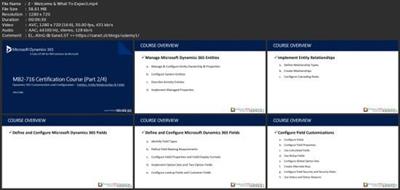
 Thanks again Abhay!!"Harish Rao says "Great course."Amos Tunsil says "I thought the explanation of the difference between customizing vs configuring was of great value."Danni Zhu says "Worth the money I paid!"*****************OverviewWelcome & What To Expect? Let's Understand Microsoft Dynamics 365 Customizations Manage Microsoft Dynamics 365 Tables (Entities)Module OverviewDynamics 365 Manage Entities - Entities Overview Dynamics 365 Manage Entities - Types of Entities Dynamics 365 Manage Entities - Custom Entities Module ReviewImplement Dynamics 365 Tables RelationshipsModule OverviewManage Dynamics 365 Relationships - Understanding Relationships Manage Dynamics 365 Relationships - Cascading Rules Manage Dynamics 365 Relationships - Hierarchical Data Manage Dynamics 365 Relationships - Configure Entity Mapping Manage Dynamics 365 Relationships - Create Connections & Connection Roles Module ReviewConfigure Microsoft Dynamics 365 Columns (Fields)Module OverviewConfigure Dynamics 365 Fields - Understanding Fields Configure Dynamics 365 Fields - Configure Field Properties Configure Dynamics 365 Fields - Implement Option Sets & Two Options Configure Dynamics 365 Fields - Configure Lookup & Customer Fields Module ReviewCustomize Dynamics 365 Columns (Fields)Module OverviewDynamics 365 Fields Customization - Configure Fields Dynamics 365 Fields Customization - Use Calculated Fields Dynamics 365 Fields Customization - Use Rollup Fields Dynamics 365 Fields Customization - Create Alternate Keys Dynamics 365 Fields Customization - Configure Field Security Dynamics 365 Fields Customization - Status & Status Reasons Dynamics 365 Fields Customization - Status Reason Transitions Module ReviewNext Steps WHY TAKE THIS COURSE? Did you know, Microsoft Dynamics 365 is a cloud-based Enterprise Business Solution that helps companies in Sales Force Automation, Improve Customer Experience, Field Service Management, Project Service Automation, Manage Financials and Operations for any business? Dynamics 365 is one of the primary focuses of Microsoft and a lot of innovation is happening towards the improvement of this product and the companies who use Dynamics 365. If you are a Consultant or an aspiring Consultant, then this course will help you understand how to customize Tables (Entities), Tables Relationships, And Columns (Fields).So, go ahead, enroll in this second course of the four courses series.Wish you all the very best. To Your Success,Abhay Sharma
Overview
Section 1: Overview
Lecture 1 Important: Please Read
Lecture 2 Welcome & What To Expect?
Lecture 3 IMPORTANT: Dynamics 365 New Interface (Must Watch)
Lecture 4 Lets Understand Microsoft Dynamics 365 Customizations
Lecture 5 IMPORTANT: Please Read
Section 2: Manage Microsoft Dynamics 365 Tables (Entities)
Lecture 6 Module Overview - Manage Dynamics 365 Entities
Lecture 7 Dynamics 365 Manage Entities - Entities Overview
Lecture 8 Dynamics 365 Manage Entities - Types of Entities
Lecture 9 Dynamics 365 Manage Entities - Custom Entities
Lecture 10 Module Review - Manage Dynamics 365 Entities
Section 3: Implement Dynamics 365 Tables (Entity) Relationships
Lecture 11 Module Overview - Manage Dynamics 365 Entities Relationship
Lecture 12 Manage Dynamics 365 Relationships - Understanding Relationships
Lecture 13 Manage Dynamics 365 Relationships - Cascading Rules
Lecture 14 Manage Dynamics 365 Relationships - Hierarchical Data
Lecture 15 Manage Dynamics 365 Relationships - Configure Entity Mapping
Lecture 16 Manage Dynamics 365 Relationships - Create Connections & Connection Roles
Lecture 17 Module Review - Manage Dynamics 365 Entities Relationship
Section 4: Configure Microsoft Dynamics 365 Columns (Fields)
Lecture 18 Module Overview - Configure Dynamics 365 Fields
Lecture 19 Configure Dynamics 365 Fields - Understanding Fields
Lecture 20 Configure Dynamics 365 Fields - Configure Field Properties
Lecture 21 Configure Dynamics 365 Fields - Implement Option Sets & Two Options
Lecture 22 Configure Dynamics 365 Fields - Configure Lookup & Customer Fields
Lecture 23 Module Review- Configure Dynamics 365 Fields
Section 5: Customize Dynamics 365 Columns (Fields)
Lecture 24 Module Overview - Customize Dynamics 365 Fields
Lecture 25 Dynamics 365 Fields Customization - Configure Fields
Lecture 26 Dynamics 365 Fields Customization - Use Calculated Fields
Lecture 27 Dynamics 365 Fields Customization - Use Rollup Fields
Lecture 28 Dynamics 365 Fields Customization - Create Alternate Keys
Lecture 29 Dynamics 365 Fields Customization - Configure Field Security
Lecture 30 Dynamics 365 Fields Customization - Status & Status Reasons
Lecture 31 Dynamics 365 Fields Customization - Status Reason Transitions
Lecture 32 Module Review - Customize Dynamics 365 Fields
Section 6: Congratulations & Next Steps
Lecture 33 Course Review
Lecture 34 Next Steps
Microsoft Dynamics professionals looking to learn Microsoft Dynamics 365 Customization & Configuration about Entities (Tables), Relationships, and Fields (Columns).
Download link
rapidgator.net:
You must reply in thread to view hidden text.
uploadgig.com:
You must reply in thread to view hidden text.
nitroflare.com:
You must reply in thread to view hidden text.
1dl.net:
You must reply in thread to view hidden text.