


Welcome to Katz - Pinoy Underground Forum

Join us now to get access to all our features. Once registered and logged in, you will be able to create topics, post replies to existing threads, give reputation to your fellow members, get your own private messenger, and so, so much more. It's also quick and totally free, so what are you waiting for?
  • Compact Safety Notice
  • Weekly Grants Lottery is live! Win a 20,000 ₪ jackpot — tickets are just 30 ₪, drawn every week. Buy your tickets »

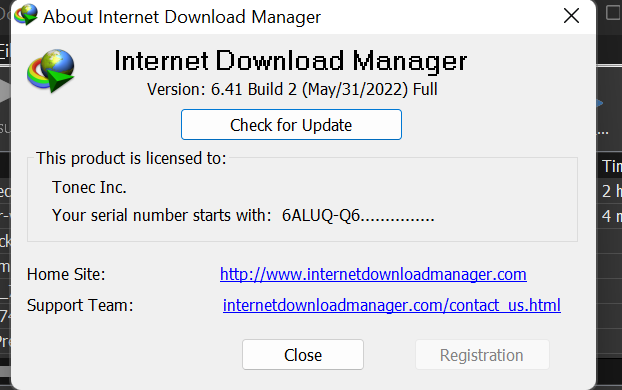
MEDIAFIRE Internet Download Manager 6.41.2 (Repack) [Pre-Activated]

A 243

adamagaton

Transcendent
Member
Member
4 Year Silver Member 4y Silver
Joined
Feb 7, 2022
Messages
26
Reaction score
7
Points
3
Age
40
Location
Davao
grants
₲516
Internet-D0.wnL0a.d-Manager-Free-D0.wnL0a.d.jpg

Internet D0.wnL0a.d Manager (Repack) is a program designed to organize file downloads from the Internet. Various methods to speed up downloads, dynamic file segmentation and simultaneous D0.wnL0a.d of several parts, the use of free open connections without reconnect, and much more. Built-in dialer for scheduled connections, support for firewalls, proxies and mirrors, FTP and HTTP protocols, redirects, cookies, D0.wnL0a.d queues, user authorization.
Integrates into Microsoft Internet Explorer, Netscape, MSN Explorer, AOL, Opera, Mozilla, Mozilla Firefox, Mozilla Firebird, Avant Browser, MyIE2, etc. and automatically intercepts downloads. Often increases D0.wnL0a.d speed by 500%. On the program page there are diagrams of tests with other D0.wnL0a.d managers.
In addition, it allows you to D0.wnL0a.d v.ide.0 content (FLV) from services such as YouTube, Google v.ide.0, MySpaceTV.

Internet D0.wnL0a.d Manager repack features:

1. Does not require registration (pawel97 patch + keygen Log in or register to view links)
2. Multilingual interface (including Russian)
3. Optional installation of 35 additional toolbars
4. Optional installation of IDM Backup Manager
5. Selection during installation of some options programs:
- Launch IDM when the computer boots
- Launch the IE browser control module
- Show categories
6. Minor editing of the program menu
7. Ability to install Glyfz 2016, iOS Line, Windows 10 modifications (in addition to the additional toolbar,
category icons, dialog icons and main program icon)
8. Picks up settings from an external settings.reg file
9. Ability to pick up and auto-copy custom toolbars from the toolbars folder, if one
is nearby during installation, and it is also possible to autorun the toolbars.exe file, which may contain
custom toolbars in the sfx archive.
10. In addition to installation, the "Update" mode is provided, in which only the files of
the new version are unpacked, WITHOUT any additional actions of the installer, changing user settings, entries
in the registry (with the exception of several keys with the updated version number), installation of additional components.


QzXHv9.png


*** Hidden text: cannot be quoted. ***

tnx ts...
 
S 0

studioussamurai22

Corporal
BANNED
Member
Access
Banned
Joined
Nov 6, 2022
Messages
543
Reaction score
14
Points
18
Age
27
Location
Caloocan
grants
₲835
Internet-D0.wnL0a.d-Manager-Free-D0.wnL0a.d.jpg

Internet D0.wnL0a.d Manager (Repack) is a program designed to organize file downloads from the Internet. Various methods to speed up downloads, dynamic file segmentation and simultaneous D0.wnL0a.d of several parts, the use of free open connections without reconnect, and much more. Built-in dialer for scheduled connections, support for firewalls, proxies and mirrors, FTP and HTTP protocols, redirects, cookies, D0.wnL0a.d queues, user authorization.
Integrates into Microsoft Internet Explorer, Netscape, MSN Explorer, AOL, Opera, Mozilla, Mozilla Firefox, Mozilla Firebird, Avant Browser, MyIE2, etc. and automatically intercepts downloads. Often increases D0.wnL0a.d speed by 500%. On the program page there are diagrams of tests with other D0.wnL0a.d managers.
In addition, it allows you to D0.wnL0a.d v.ide.0 content (FLV) from services such as YouTube, Google v.ide.0, MySpaceTV.

Internet D0.wnL0a.d Manager repack features:

1. Does not require registration (pawel97 patch + keygen Log in or register to view links)
2. Multilingual interface (including Russian)
3. Optional installation of 35 additional toolbars
4. Optional installation of IDM Backup Manager
5. Selection during installation of some options programs:
- Launch IDM when the computer boots
- Launch the IE browser control module
- Show categories
6. Minor editing of the program menu
7. Ability to install Glyfz 2016, iOS Line, Windows 10 modifications (in addition to the additional toolbar,
category icons, dialog icons and main program icon)
8. Picks up settings from an external settings.reg file
9. Ability to pick up and auto-copy custom toolbars from the toolbars folder, if one
is nearby during installation, and it is also possible to autorun the toolbars.exe file, which may contain
custom toolbars in the sfx archive.
10. In addition to installation, the "Update" mode is provided, in which only the files of
the new version are unpacked, WITHOUT any additional actions of the installer, changing user settings, entries
in the registry (with the exception of several keys with the updated version number), installation of additional components.


QzXHv9.png


*** Hidden text: cannot be quoted. ***

maraming salamat idol!
 
D 185

DocOc

Transcendent
Member
Member
3 Year Silver Member 3y Silver
Joined
Nov 8, 2022
Messages
26
Reaction score
3
Points
3
Age
31
Location
Davao City
grants
₲357
Internet-D0.wnL0a.d-Manager-Free-D0.wnL0a.d.jpg

Internet D0.wnL0a.d Manager (Repack) is a program designed to organize file downloads from the Internet. Various methods to speed up downloads, dynamic file segmentation and simultaneous D0.wnL0a.d of several parts, the use of free open connections without reconnect, and much more. Built-in dialer for scheduled connections, support for firewalls, proxies and mirrors, FTP and HTTP protocols, redirects, cookies, D0.wnL0a.d queues, user authorization.
Integrates into Microsoft Internet Explorer, Netscape, MSN Explorer, AOL, Opera, Mozilla, Mozilla Firefox, Mozilla Firebird, Avant Browser, MyIE2, etc. and automatically intercepts downloads. Often increases D0.wnL0a.d speed by 500%. On the program page there are diagrams of tests with other D0.wnL0a.d managers.
In addition, it allows you to D0.wnL0a.d v.ide.0 content (FLV) from services such as YouTube, Google v.ide.0, MySpaceTV.

Internet D0.wnL0a.d Manager repack features:

1. Does not require registration (pawel97 patch + keygen Log in or register to view links)
2. Multilingual interface (including Russian)
3. Optional installation of 35 additional toolbars
4. Optional installation of IDM Backup Manager
5. Selection during installation of some options programs:
- Launch IDM when the computer boots
- Launch the IE browser control module
- Show categories
6. Minor editing of the program menu
7. Ability to install Glyfz 2016, iOS Line, Windows 10 modifications (in addition to the additional toolbar,
category icons, dialog icons and main program icon)
8. Picks up settings from an external settings.reg file
9. Ability to pick up and auto-copy custom toolbars from the toolbars folder, if one
is nearby during installation, and it is also possible to autorun the toolbars.exe file, which may contain
custom toolbars in the sfx archive.
10. In addition to installation, the "Update" mode is provided, in which only the files of
the new version are unpacked, WITHOUT any additional actions of the installer, changing user settings, entries
in the registry (with the exception of several keys with the updated version number), installation of additional components.


QzXHv9.png


*** Hidden text: cannot be quoted. ***

Maraming Salamat po
 
  • Like
Reactions: mangofloat99 and Infinitious_
R 392

rdcc30

Abecedarian
Member
Access
Member
Access
4 Year Silver Member 4y Silver
Joined
Aug 24, 2021
Messages
152
Reaction score
11
Points
18
Location
Cabanatuan City
grants
₲1,521
Internet-Download-Manager-Free-Download.jpg

Internet Download Manager (Repack) is a program designed to organize file downloads from the Internet. Various methods to speed up downloads, dynamic file segmentation and simultaneous download of several parts, the use of free open connections without reconnect, and much more. Built-in dialer for scheduled connections, support for firewalls, proxies and mirrors, FTP and HTTP protocols, redirects, cookies, download queues, user authorization.
Integrates into Microsoft Internet Explorer, Netscape, MSN Explorer, AOL, Opera, Mozilla, Mozilla Firefox, Mozilla Firebird, Avant Browser, MyIE2, etc. and automatically intercepts downloads. Often increases download speed by 500%. On the program page there are diagrams of tests with other download managers.
In addition, it allows you to download video content (FLV) from services such as YouTube, Google Video, MySpaceTV.

Internet Download Manager repack features:

1. Does not require registration (pawel97 patch + keygen ADMIN@CRACK)
2. Multilingual interface (including Russian)
3. Optional installation of 35 additional toolbars
4. Optional installation of IDM Backup Manager
5. Selection during installation of some options programs:
- Launch IDM when the computer boots
- Launch the IE browser control module
- Show categories
6. Minor editing of the program menu
7. Ability to install Glyfz 2016, iOS Line, Windows 10 modifications (in addition to the additional toolbar,
category icons, dialog icons and main program icon)
8. Picks up settings from an external settings.reg file
9. Ability to pick up and auto-copy custom toolbars from the toolbars folder, if one
is nearby during installation, and it is also possible to autorun the toolbars.exe file, which may contain
custom toolbars in the sfx archive.
10. In addition to installation, the "Update" mode is provided, in which only the files of
the new version are unpacked, WITHOUT any additional actions of the installer, changing user settings, entries
in the registry (with the exception of several keys with the updated version number), installation of additional components.


QzXHv9.png


*** Hidden text: cannot be quoted. ***
salamat dito bossing!
 
  • Like
Reactions: letsrock1103
K 300

kontoldegulat

Abecedarian
Member
Access
Member
Access
3 Year Silver Member 3y Silver
Joined
Aug 19, 2022
Messages
74
Reaction score
34
Points
8
Age
26
Location
Kalawakan
grants
₲419
salamat dito katzmate
Internet-Download-Manager-Free-Download.jpg

Internet Download Manager (Repack) is a program designed to organize file downloads from the Internet. Various methods to speed up downloads, dynamic file segmentation and simultaneous download of several parts, the use of free open connections without reconnect, and much more. Built-in dialer for scheduled connections, support for firewalls, proxies and mirrors, FTP and HTTP protocols, redirects, cookies, download queues, user authorization.
Integrates into Microsoft Internet Explorer, Netscape, MSN Explorer, AOL, Opera, Mozilla, Mozilla Firefox, Mozilla Firebird, Avant Browser, MyIE2, etc. and automatically intercepts downloads. Often increases download speed by 500%. On the program page there are diagrams of tests with other download managers.
In addition, it allows you to download video content (FLV) from services such as YouTube, Google Video, MySpaceTV.

Internet Download Manager repack features:

1. Does not require registration (pawel97 patch + keygen ADMIN@CRACK)
2. Multilingual interface (including Russian)
3. Optional installation of 35 additional toolbars
4. Optional installation of IDM Backup Manager
5. Selection during installation of some options programs:
- Launch IDM when the computer boots
- Launch the IE browser control module
- Show categories
6. Minor editing of the program menu
7. Ability to install Glyfz 2016, iOS Line, Windows 10 modifications (in addition to the additional toolbar,
category icons, dialog icons and main program icon)
8. Picks up settings from an external settings.reg file
9. Ability to pick up and auto-copy custom toolbars from the toolbars folder, if one
is nearby during installation, and it is also possible to autorun the toolbars.exe file, which may contain
custom toolbars in the sfx archive.
10. In addition to installation, the "Update" mode is provided, in which only the files of
the new version are unpacked, WITHOUT any additional actions of the installer, changing user settings, entries
in the registry (with the exception of several keys with the updated version number), installation of additional components.


QzXHv9.png


*** Hidden text: cannot be quoted. ***
 
Top Bottom