
- Thread Starter
- #1
Complete Wordpress & Elementor Guide: Design, Build & Earn

What you'll learn
Mastering Elementor Basics
Creating Cool Text Animations and Hover Effects
Building Websites from Beginner to Advanced Levels
Earning Money with Web Design Skills
Requirements
A Basic Understanding of Computers
Access to WordPress and Elementor
A Desire to Learn and Create
Internet Connection
Description
Have you ever dreamed of creating your own website but didn't know where to start? Or maybe you've tried, but it felt way too complicated? Don't worry-this course is made just for you! In this step-by-step guide, you'll learn how to use WordPress and Elementor to create beautiful, professional websites without needing to learn coding. Whether you're a complete beginner or want to improve your skills, we've got you covered.We'll begin with the basics, showing you how to navigate Elementor and customize your website with fun features like text animations, hover effects, and cool design tricks that will make your site stand out from the crowd. Then, you'll dive into hands-on projects! We'll build three websites together, each more advanced than the last: a basic site to get you started, an intermediate website with more advanced features, and an advanced site that will show you how to use everything you've learned to create a fully polished, professional website.But that's not all-by the end of this course, you'll have all the skills you need to start earning money by building websites for others. We'll also show you how to find clients and turn your web design skills into a business. Whether you want to design websites as a hobby or make a career out of it, this course will give you the tools and knowledge you need to succeed.So, if you're ready to create websites that look amazing and learn how to earn money from them, join me in this course and let's start building your future together!
Overview
Section 1: Welcome to this Course
Lecture 1 Welcome
Section 2: Getting Started with Elementor: A Complete Overview
Lecture 2 Elementor Overview: First Steps
Lecture 3 Elementor Overview: Second Steps
Lecture 4 Elementor Overview: Third Steps
Lecture 5 Understanding CSS Units in Elementor
Lecture 6 Using Flexbox Containers in Elementor
Lecture 7 Exploring Global Settings in Elementor
Section 3: Enhancing User Experience with Hover and text Animations
Lecture 8 Creating a Water Text Effect
Lecture 9 Creating Background Image Hover Effects
Lecture 10 how to import both template
Lecture 11 Creating Card Hover Effects
Lecture 12 Creating Card Slide-Down Animation
Lecture 13 Creating Scroll-Triggered Content Reveal Effects
Lecture 14 Creating a Ripped Paper Effect
Lecture 15 Creating a Glass Effect in Elementor
Lecture 16 Creating a Skewed Card Effect
Lecture 17 Creating Stacking Effects on Scroll
Lecture 18 Creating Blur Zoom Hover Effects
Lecture 19 Creating Button Hover Effects
Lecture 20 Creating a Text Stroke Effect
Lecture 21 Creating 3D Layer Effects
Lecture 22 Creating a Magic Card Effect
Section 4: How to Build a Basic Website Using Elementor
Lecture 23 Creating Your First Container
Lecture 24 Building the Second Container
Lecture 25 Setting Up the Third Container
Lecture 26 Adding the Fourth Container to Your Website
Lecture 27 Creating the Fifth Container
Lecture 28 Designing the Header and Footer for Your Website
Lecture 29 Making Your Website Responsive in Elementor
Section 5: Building an Intermediate Website with Elementor
Lecture 30 Creating Your First Container
Lecture 31 Building the Second Container
Lecture 32 Setting Up the Third Container
Lecture 33 Setting Up the Fourth Container
Lecture 34 Creating Your Fifth Container
Lecture 35 Creating Your Sixth Container
Lecture 36 Setting Up Seventh Container
Lecture 37 Setting Up Eighth Container
Lecture 38 Building the Ninth Container
Lecture 39 Designing the Header and Footer for Your Website
Lecture 40 Making Your Website Responsive
Section 6: WAIT FOR UPCOMING...
Lecture 41 wait
Perfect for beginners, creatives, and aspiring web designers,Build stunning websites and start earning with their skills
Say "Thank You"
rapidgator.net:
k2s.cc:
Published 11/2024
MP4 | Video: h264, 1920x1080 | Audio: AAC, 44.1 KHz
Language: English | Size: 3.18 GB | Duration: 4h 55m
Build Custom Websites with WordPress & Elementor: Animations, Effects & Earning Tips
MP4 | Video: h264, 1920x1080 | Audio: AAC, 44.1 KHz
Language: English | Size: 3.18 GB | Duration: 4h 55m
Build Custom Websites with WordPress & Elementor: Animations, Effects & Earning Tips
What you'll learn
Mastering Elementor Basics
Creating Cool Text Animations and Hover Effects
Building Websites from Beginner to Advanced Levels
Earning Money with Web Design Skills
Requirements
A Basic Understanding of Computers
Access to WordPress and Elementor
A Desire to Learn and Create
Internet Connection
Description
Have you ever dreamed of creating your own website but didn't know where to start? Or maybe you've tried, but it felt way too complicated? Don't worry-this course is made just for you! In this step-by-step guide, you'll learn how to use WordPress and Elementor to create beautiful, professional websites without needing to learn coding. Whether you're a complete beginner or want to improve your skills, we've got you covered.We'll begin with the basics, showing you how to navigate Elementor and customize your website with fun features like text animations, hover effects, and cool design tricks that will make your site stand out from the crowd. Then, you'll dive into hands-on projects! We'll build three websites together, each more advanced than the last: a basic site to get you started, an intermediate website with more advanced features, and an advanced site that will show you how to use everything you've learned to create a fully polished, professional website.But that's not all-by the end of this course, you'll have all the skills you need to start earning money by building websites for others. We'll also show you how to find clients and turn your web design skills into a business. Whether you want to design websites as a hobby or make a career out of it, this course will give you the tools and knowledge you need to succeed.So, if you're ready to create websites that look amazing and learn how to earn money from them, join me in this course and let's start building your future together!
Overview
Section 1: Welcome to this Course
Lecture 1 Welcome
Section 2: Getting Started with Elementor: A Complete Overview
Lecture 2 Elementor Overview: First Steps
Lecture 3 Elementor Overview: Second Steps
Lecture 4 Elementor Overview: Third Steps
Lecture 5 Understanding CSS Units in Elementor
Lecture 6 Using Flexbox Containers in Elementor
Lecture 7 Exploring Global Settings in Elementor
Section 3: Enhancing User Experience with Hover and text Animations
Lecture 8 Creating a Water Text Effect
Lecture 9 Creating Background Image Hover Effects
Lecture 10 how to import both template
Lecture 11 Creating Card Hover Effects
Lecture 12 Creating Card Slide-Down Animation
Lecture 13 Creating Scroll-Triggered Content Reveal Effects
Lecture 14 Creating a Ripped Paper Effect
Lecture 15 Creating a Glass Effect in Elementor
Lecture 16 Creating a Skewed Card Effect
Lecture 17 Creating Stacking Effects on Scroll
Lecture 18 Creating Blur Zoom Hover Effects
Lecture 19 Creating Button Hover Effects
Lecture 20 Creating a Text Stroke Effect
Lecture 21 Creating 3D Layer Effects
Lecture 22 Creating a Magic Card Effect
Section 4: How to Build a Basic Website Using Elementor
Lecture 23 Creating Your First Container
Lecture 24 Building the Second Container
Lecture 25 Setting Up the Third Container
Lecture 26 Adding the Fourth Container to Your Website
Lecture 27 Creating the Fifth Container
Lecture 28 Designing the Header and Footer for Your Website
Lecture 29 Making Your Website Responsive in Elementor
Section 5: Building an Intermediate Website with Elementor
Lecture 30 Creating Your First Container
Lecture 31 Building the Second Container
Lecture 32 Setting Up the Third Container
Lecture 33 Setting Up the Fourth Container
Lecture 34 Creating Your Fifth Container
Lecture 35 Creating Your Sixth Container
Lecture 36 Setting Up Seventh Container
Lecture 37 Setting Up Eighth Container
Lecture 38 Building the Ninth Container
Lecture 39 Designing the Header and Footer for Your Website
Lecture 40 Making Your Website Responsive
Section 6: WAIT FOR UPCOMING...
Lecture 41 wait
Perfect for beginners, creatives, and aspiring web designers,Build stunning websites and start earning with their skills
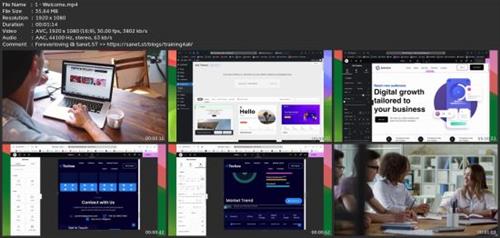
Screenshots
Say "Thank You"
rapidgator.net:
You must reply in thread to view hidden text.
k2s.cc:
You must reply in thread to view hidden text.
