
- Thread Starter
- #1
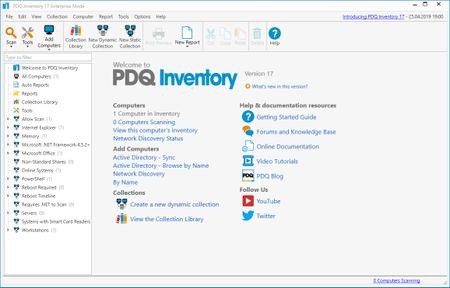
PDQ Inventory 19.3.520 Enterprise | 86.4 Mb
PDQ Inventory is a systems management tool that scans Windows computers to collect hardware, software, and Windows configuration data.
Intelligent Data Tracking
Out of the box, computers are automatically grouped based on common data. View computers that have the same installed applications, hardware, operating systems, and even Windows updates. Additionally, create groups based on your own criteria.
Utilities
Easily launch remote desktop, remote command, reboot/shutdown, WOL, event viewer, and more. Incorporate and run your own scripts and favorite utilities with ease.
Reports
Report on the exact data you need by using the built-in reports or create your own. Reports are created using our filters or even SQL. Run reports on any or all computers in the database then print, export and even save and email on a regular schedule to all your bosses.
Integration with PDQ Deploy
Easily identify which computers are out-of-date and use PDQ Deploy to deploy to those particular PCs. Automatically update PDQ Inventory directly following the deployment. However, best of all is automatically deploying when a computer goes from offline to online in PDQ Inventory.
Insanely Detailed Data Tracking
The Collection Library makes it easy to see which computers have out-of-date popular applications or run times. These groupings are updated as new versions of these apps, updates, and runtimes are released and serve as great templates for creating your own.
Multi-Admin Access With a Shared Database
Share your reports and collections with other admins by creating a server/client relationship. Maybe they'll buy you a drink for all of the work you saved them.
System requirements:
Memory Requirements
8 GB RAM - Console machine (16 GB recommended)
4 GB RAM - Target machines
SSD Highly recommended for Console machine
OS Requirements
Windows Vista, 7, 8x, 10, 11 , or Server
Dependencies
.NET 4.5.2 (4.6 recommended)
Home Page -
Download Links
Rapidgator
